
Response playbooks
Structure investigation, containment, and remediation workflows.
RESPONSE AUTOMATION
Automate the response. Keep control.
ZelSOAR automates investigation and response workflows while keeping approval controls and audit trails in place. Teams can coordinate containment actions, orchestrate remediation, and retain evidence of the decisions made along the way.
Response automation
BUILT FOR YOUR WORKFLOW
Structure investigation, containment, and remediation workflows.
Keep sensitive response actions subject to approval-based controls.
Retain a clear trail of response decisions and executed steps.
THE COMPLETE PRODUCT GUIDE
Get to know the capabilities, workflows, and intelligence behind the product.
ZelSOAR unifies incidents, evidence, assets, vulnerabilities, playbooks, response control, integrations, and analytics into one decisive operational cockpit. Exclusively licensed to RCCE engineers.
ZelSOAR is designed for coordinated detection, investigation, evidence control, automation, remediation, and executive reporting across modern security operations.
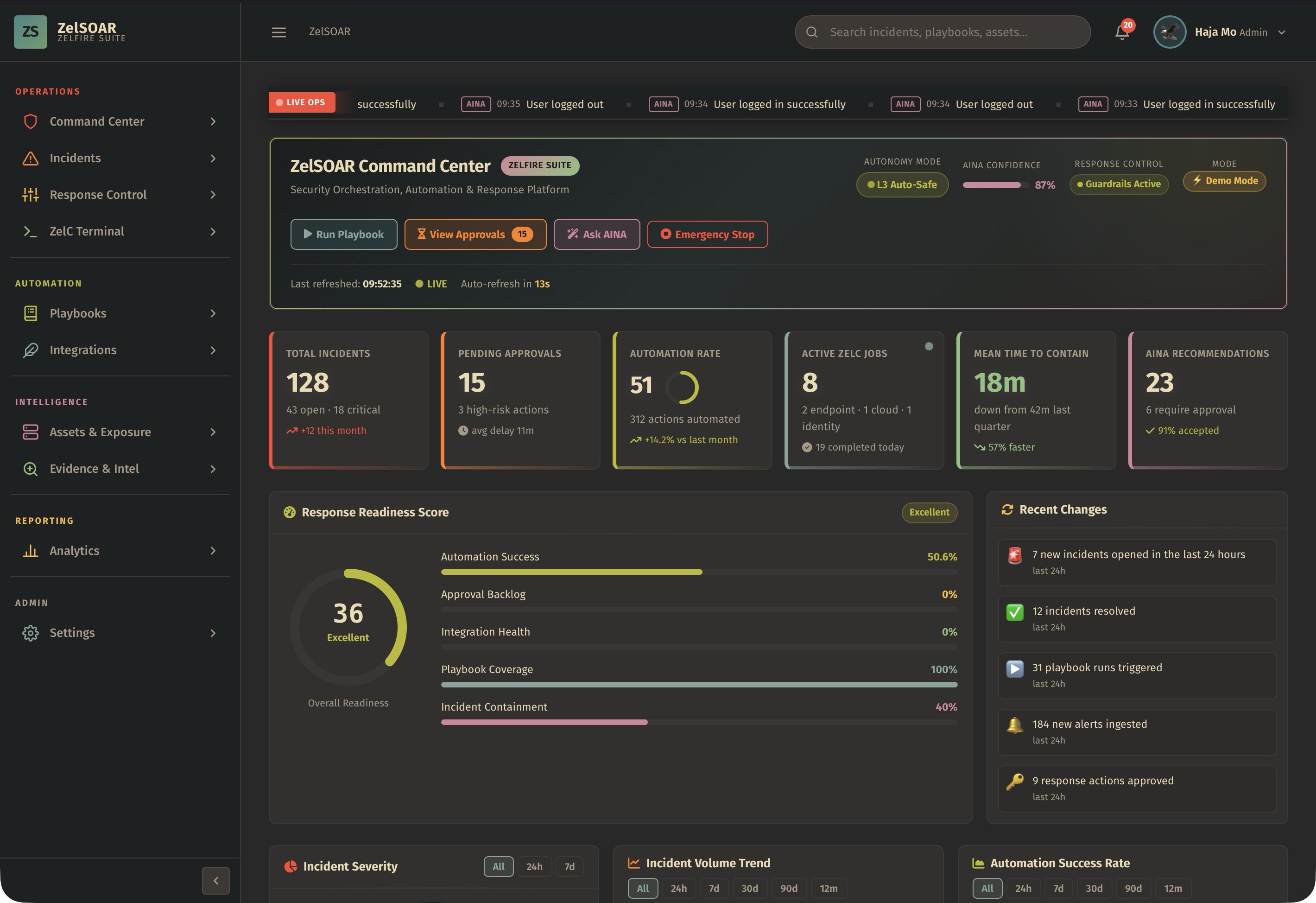
A single executive and analyst cockpit for operational readiness, active cases, high-risk exposure, and response posture.
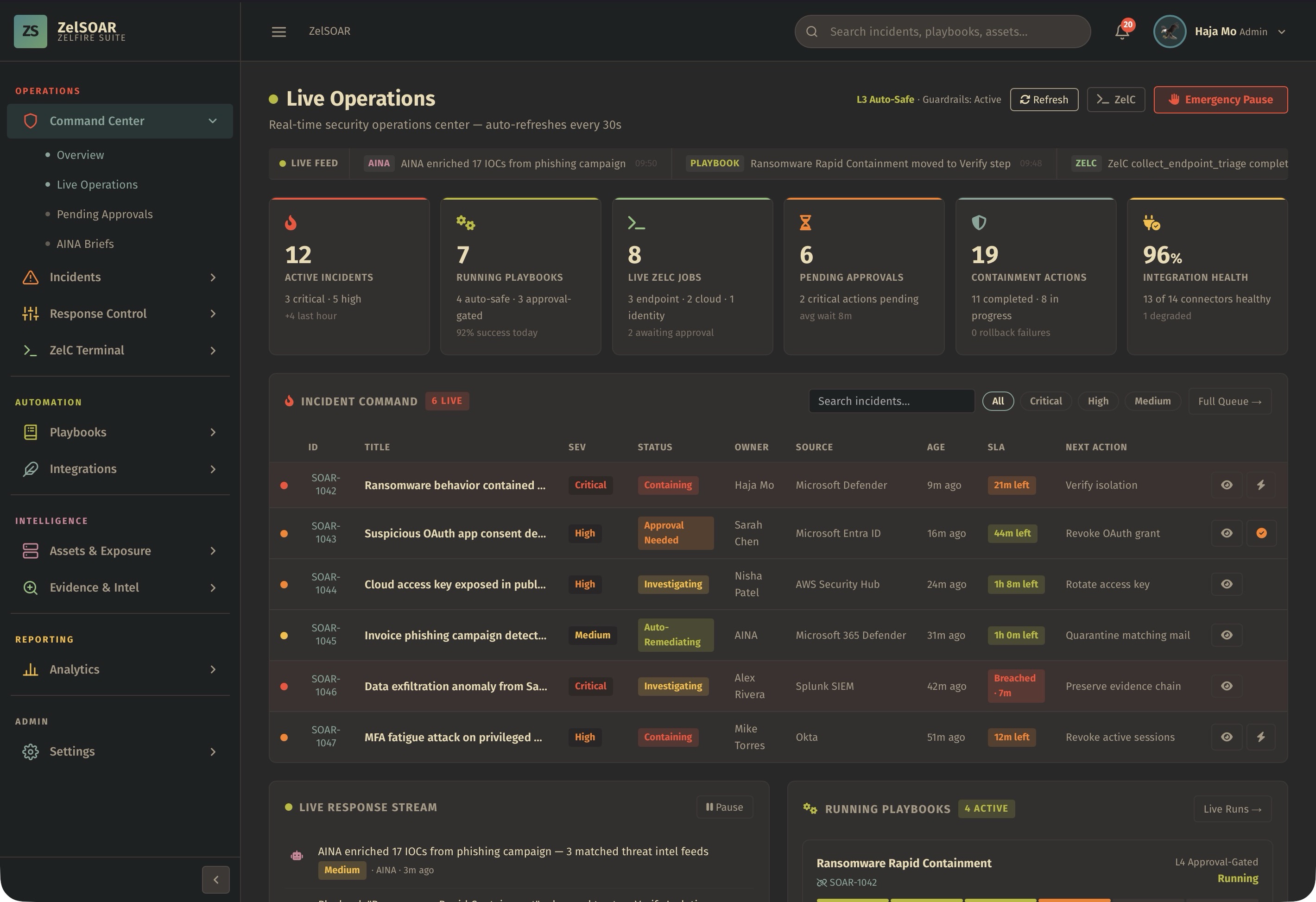
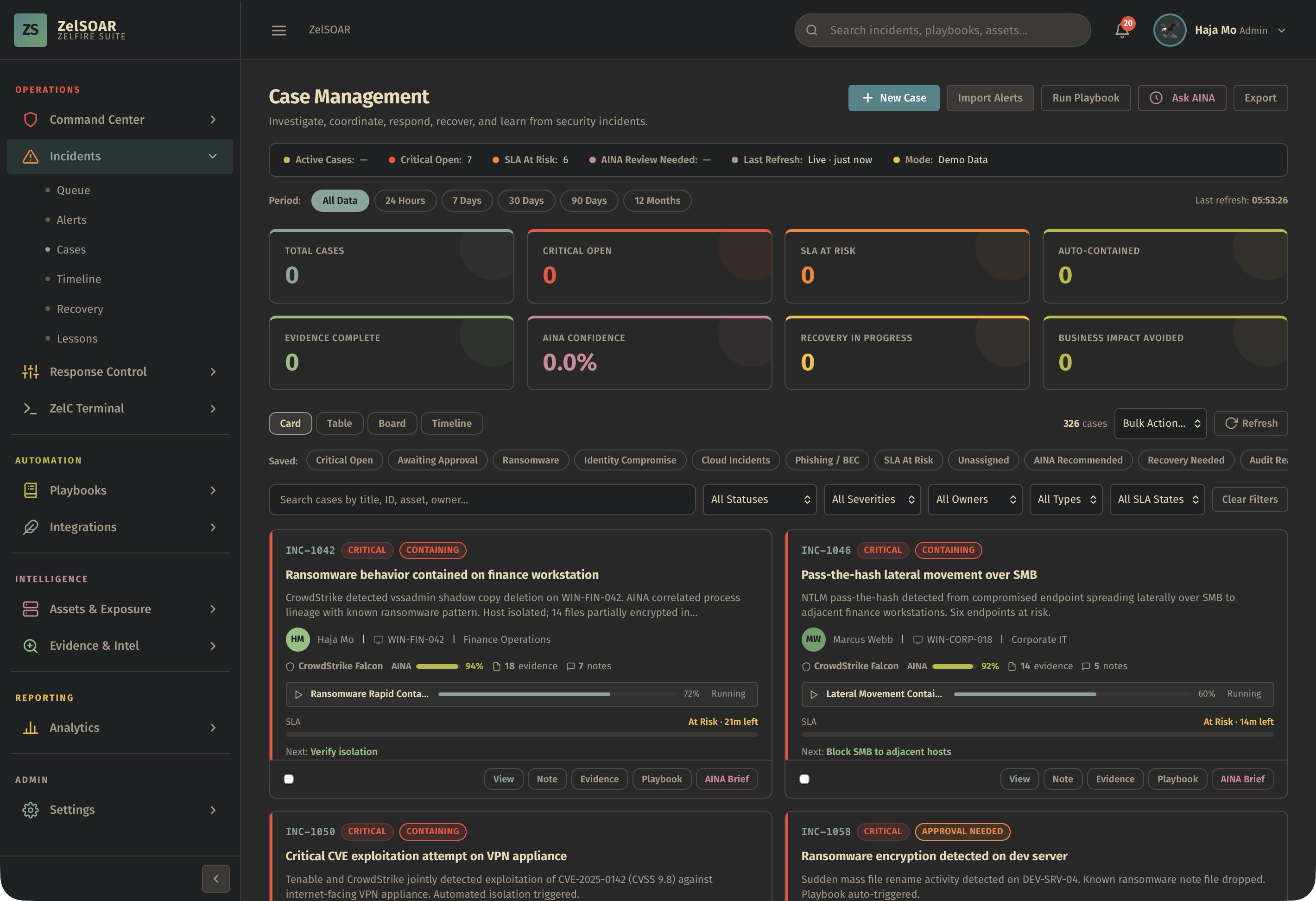
Move from alert intake to case resolution with queue management, assignments, timelines, recovery, and lessons learned.
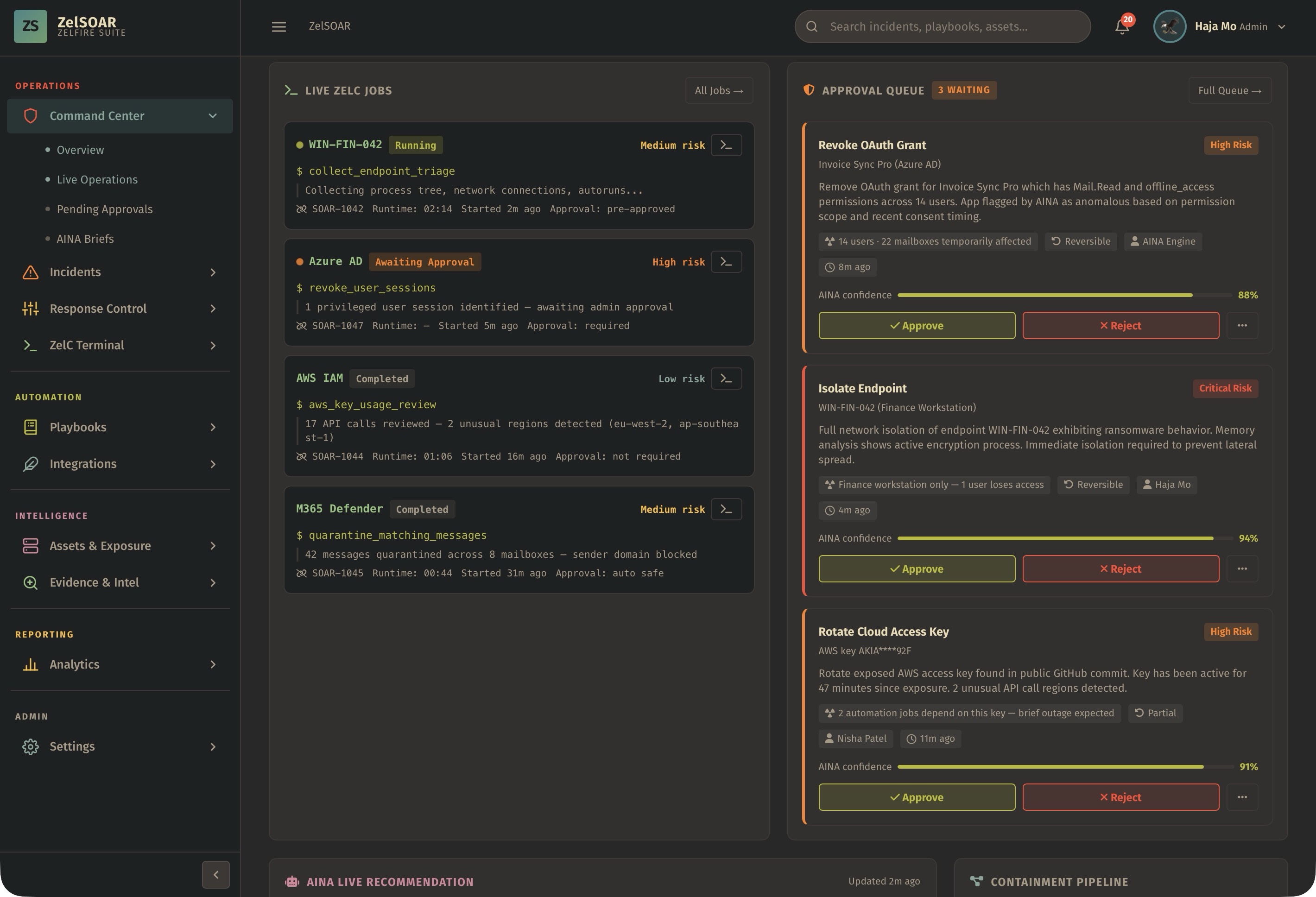
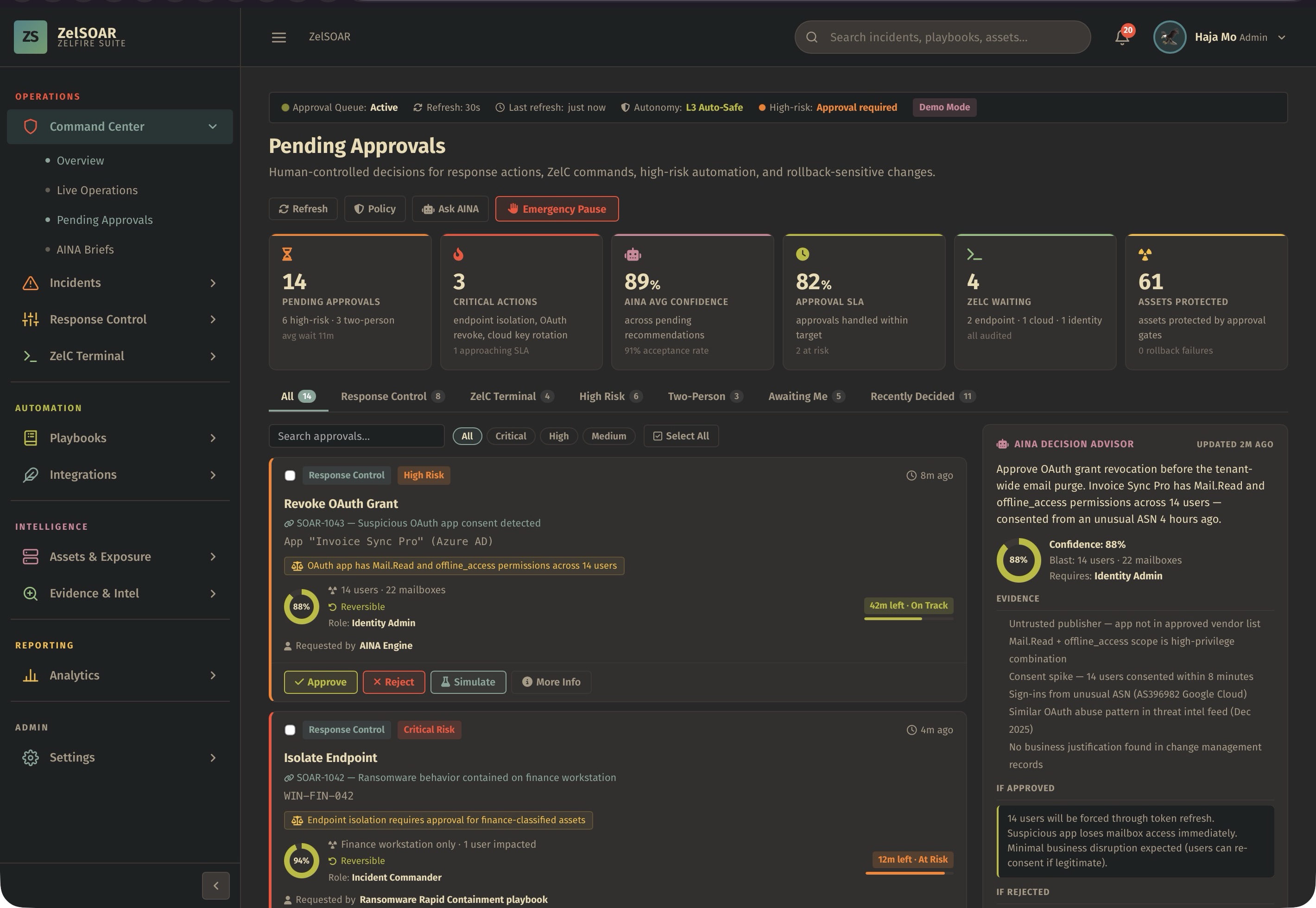
Coordinate sensitive response actions with clear approval gates, tasks, ownership, audit trails, and operational guardrails.
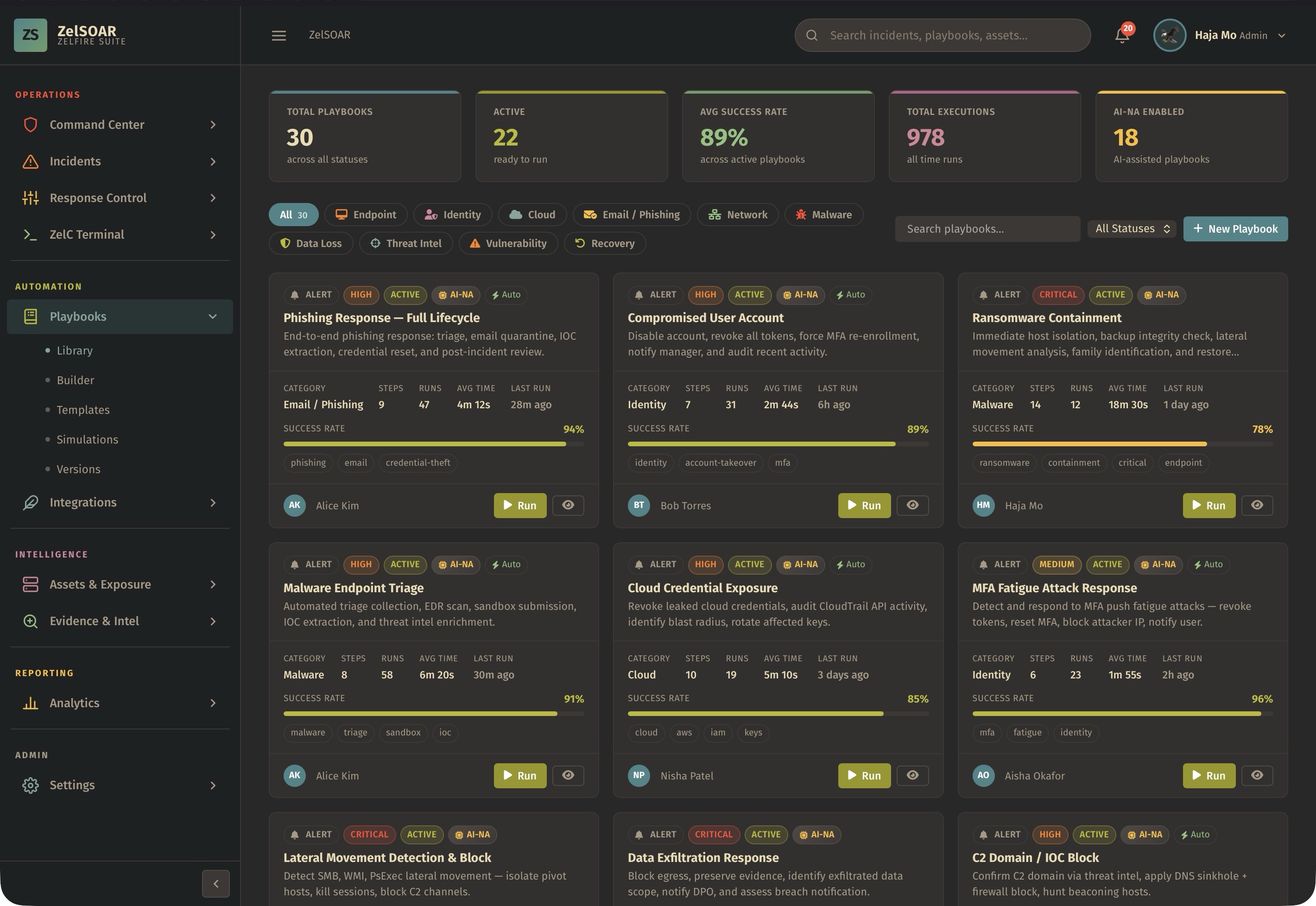
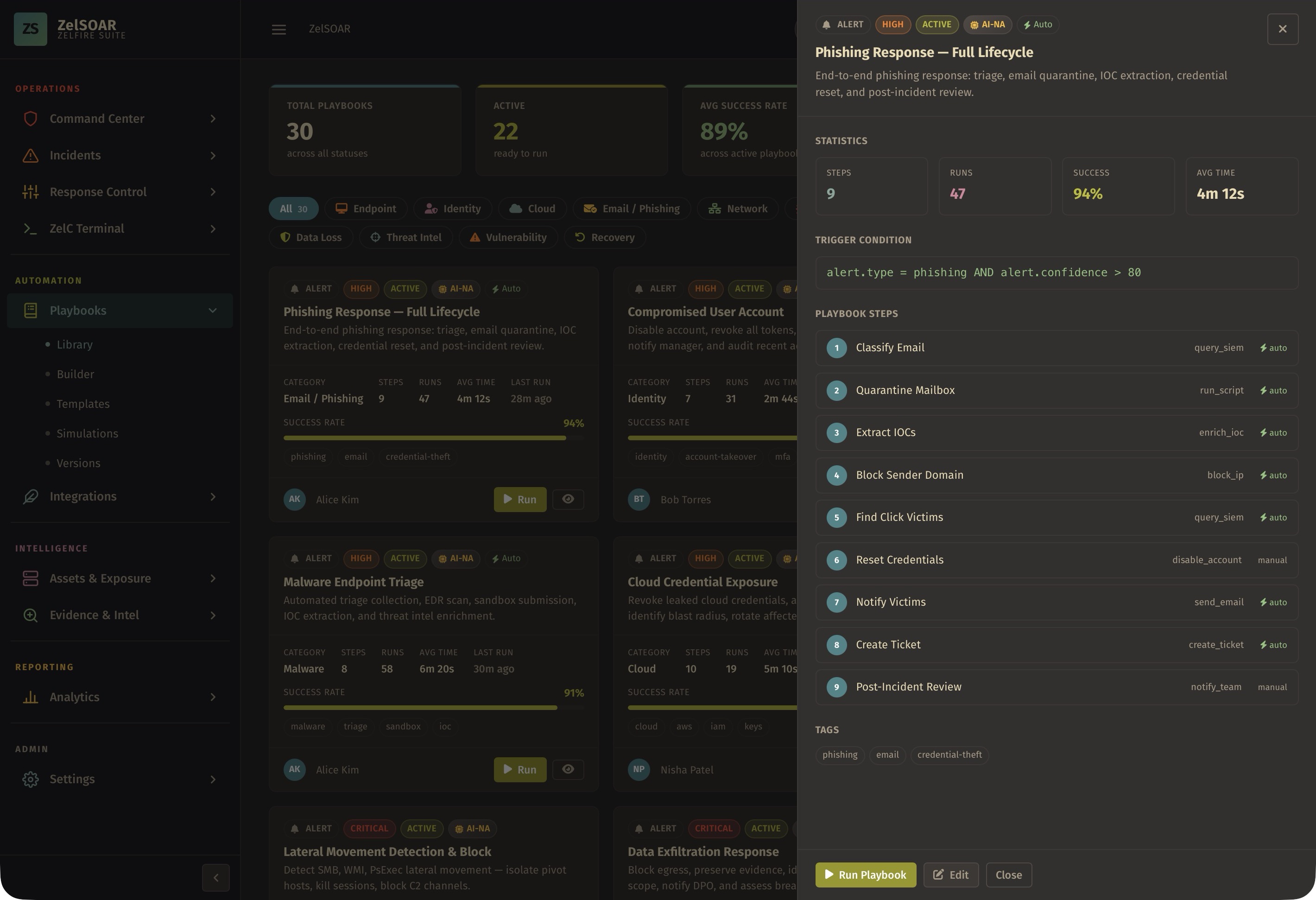
Transform repeatable operations into structured playbooks for phishing, ransomware, data exposure, vulnerability response, and more.
Connect security telemetry, asset context, identity signals, ticketing, communication, and enrichment sources into one workflow.
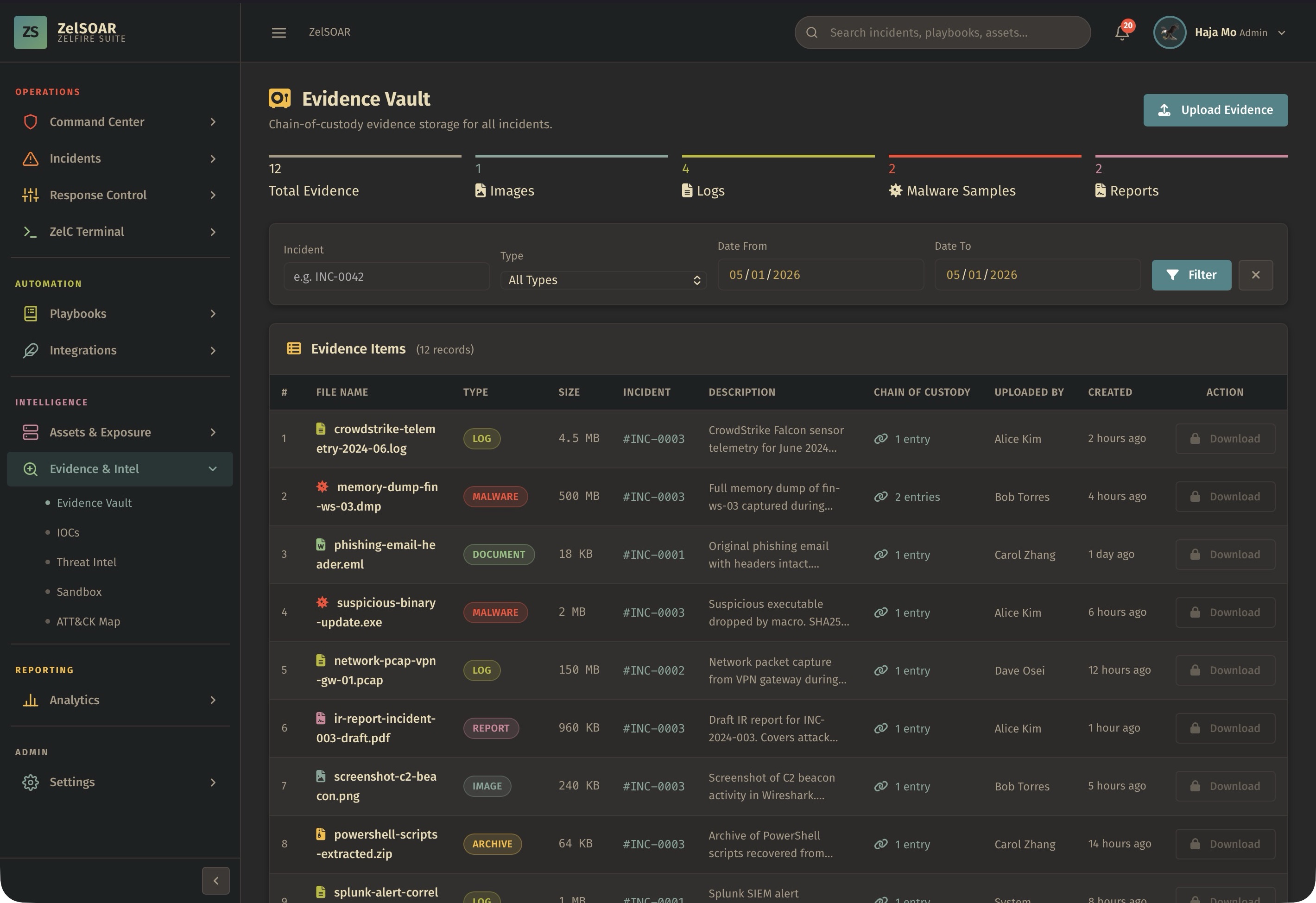
Collect, hash, label, preserve, and review evidence with notes, validity status, ownership, and chain-of-custody context.
Map security events to assets, identities, cloud resources, services, and business functions so analysts understand real impact.
Prioritize CVEs by severity, exploitability, affected assets, patch state, SLA breach, and remediation status.
Turn security operations into measurable insights for leadership, compliance, engineering, and response teams.
Give responders a dedicated command surface for ZelSOAR-centered operations, structured checks, guided response, and analyst workflow.
Centralize operational configuration, user roles, permissions, workflow defaults, notification preferences, and platform administration.
Keep every investigation aligned with analyst notes, pinned decisions, attachments, tasks, owners, status updates, and approvals.
ZelSOAR evidence handling is designed for real investigations, where a case may include technical artifacts, business impact, approvals, user activity, and compliance notes.
Collect alerts, case details, asset context, and evidence artifacts in one workspace.
Prioritize by severity, exploitability, asset exposure, business impact, and SLA urgency.
Run playbooks, coordinate tasks, request approvals, and track containment decisions.
Manage remediation, validation, recovery steps, ownership, and operational closure.
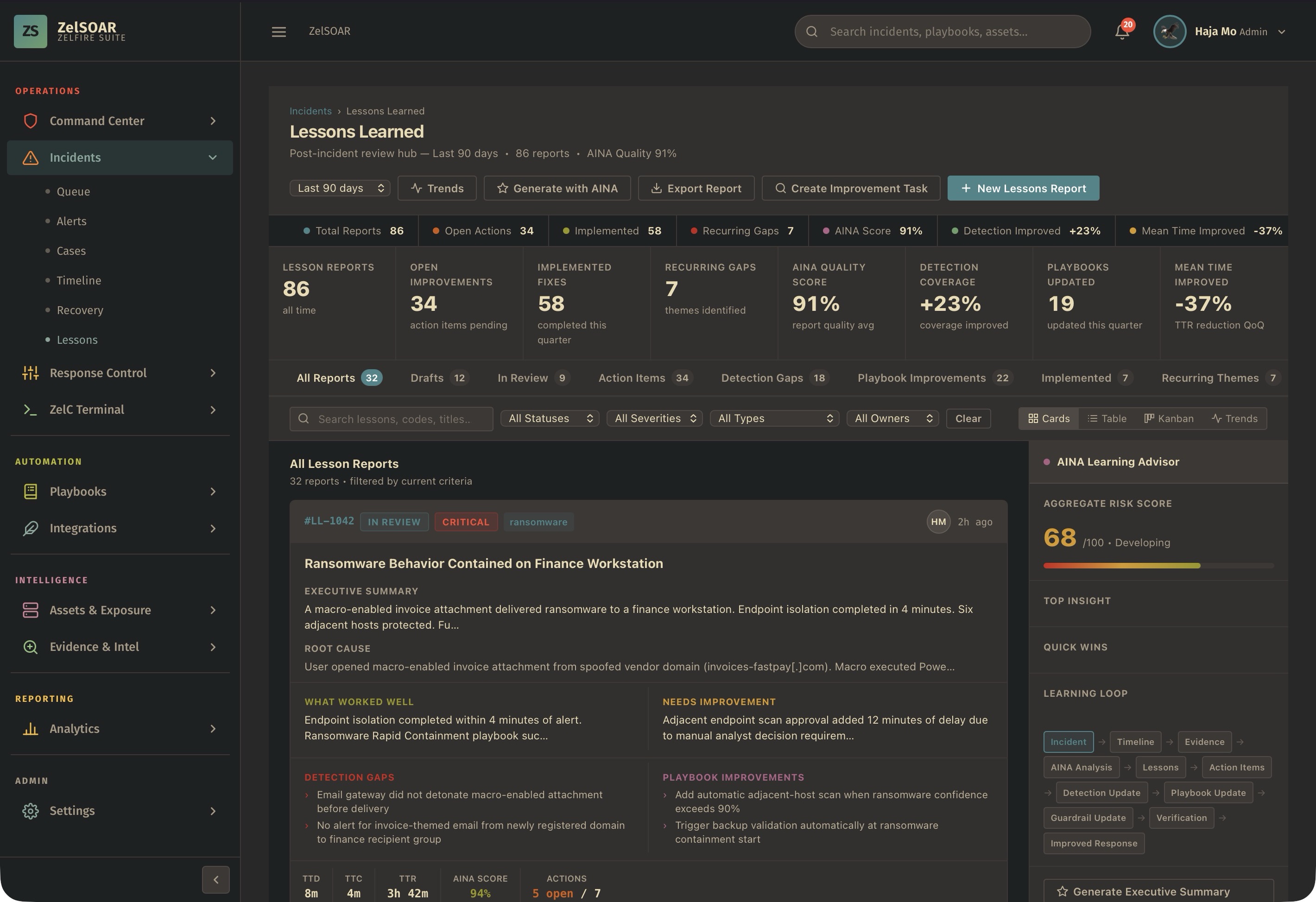
Summarize outcomes, lessons learned, risk avoided, SLA performance, and evidence quality.
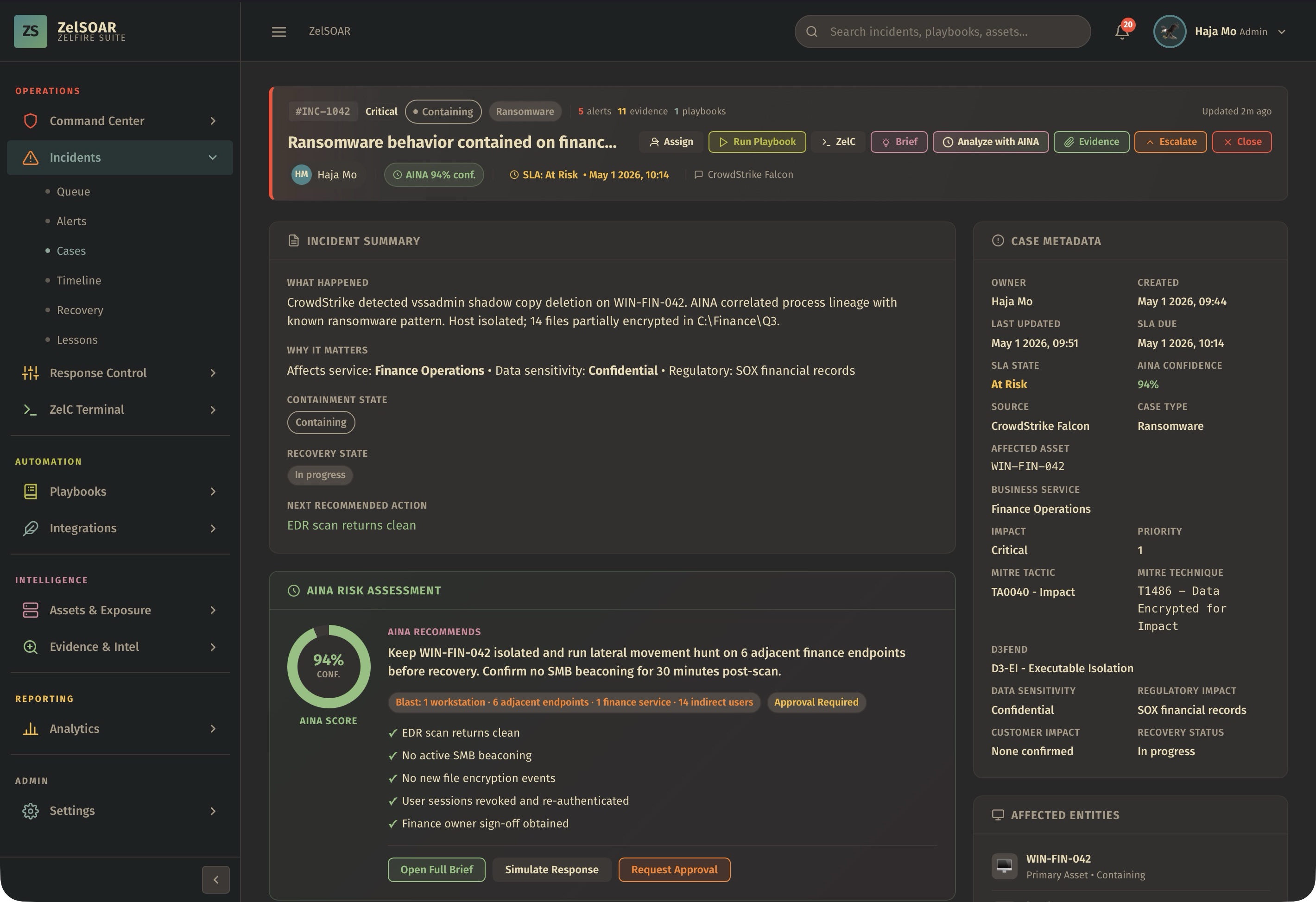
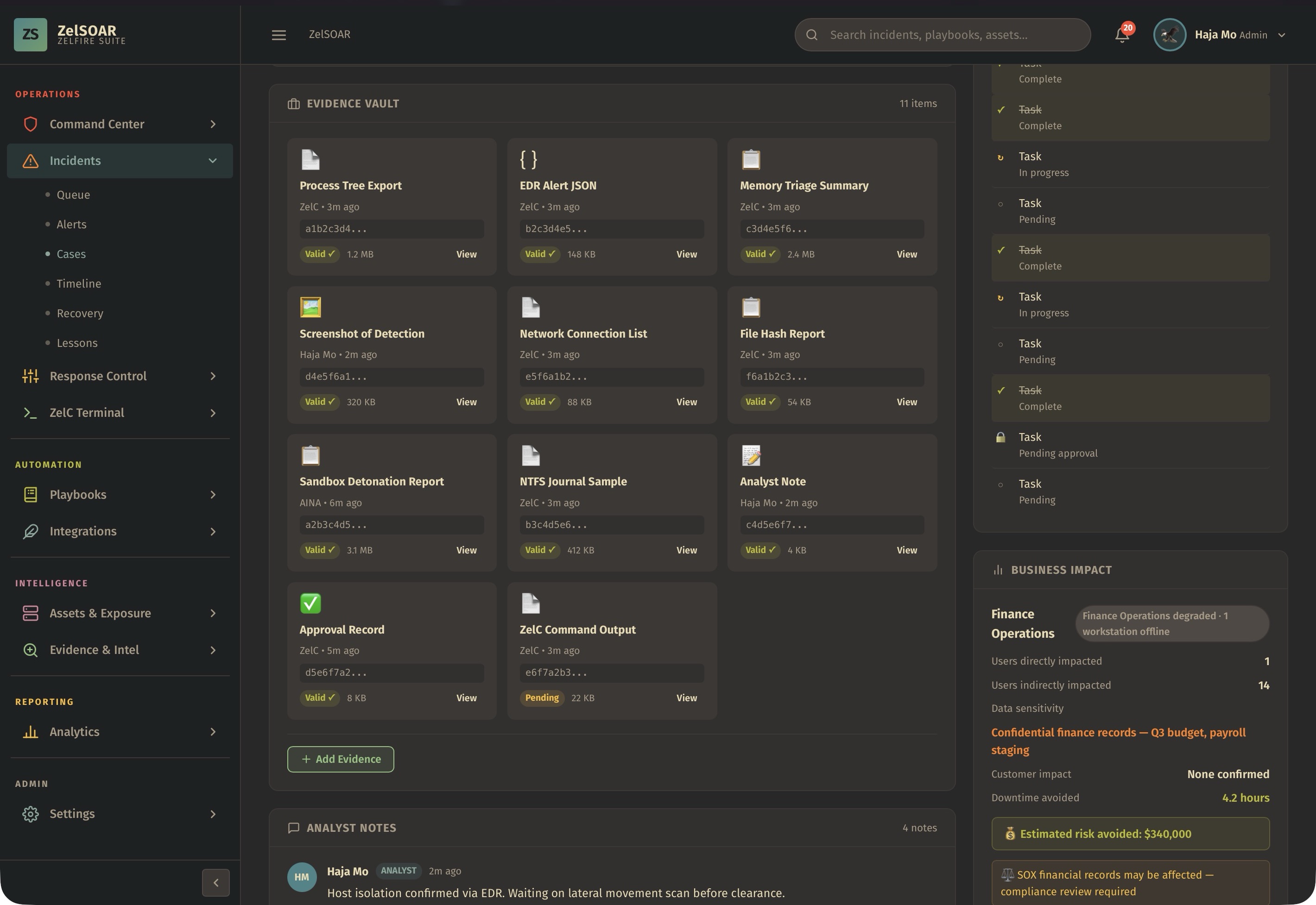
A real-world ZelSOAR incident case showing evidence chain, timeline events, and response tasks for an active ransomware intrusion.
Every incident, vulnerability, evidence item, and response action feeds your analytics story. ZelSOAR turns raw operations into measurable outcomes.
ZelFIRE is a comprehensive suite of 15 cybersecurity products. ZelSOAR is the orchestration and response hub that ties them together.
INSIDE ZELSOAR
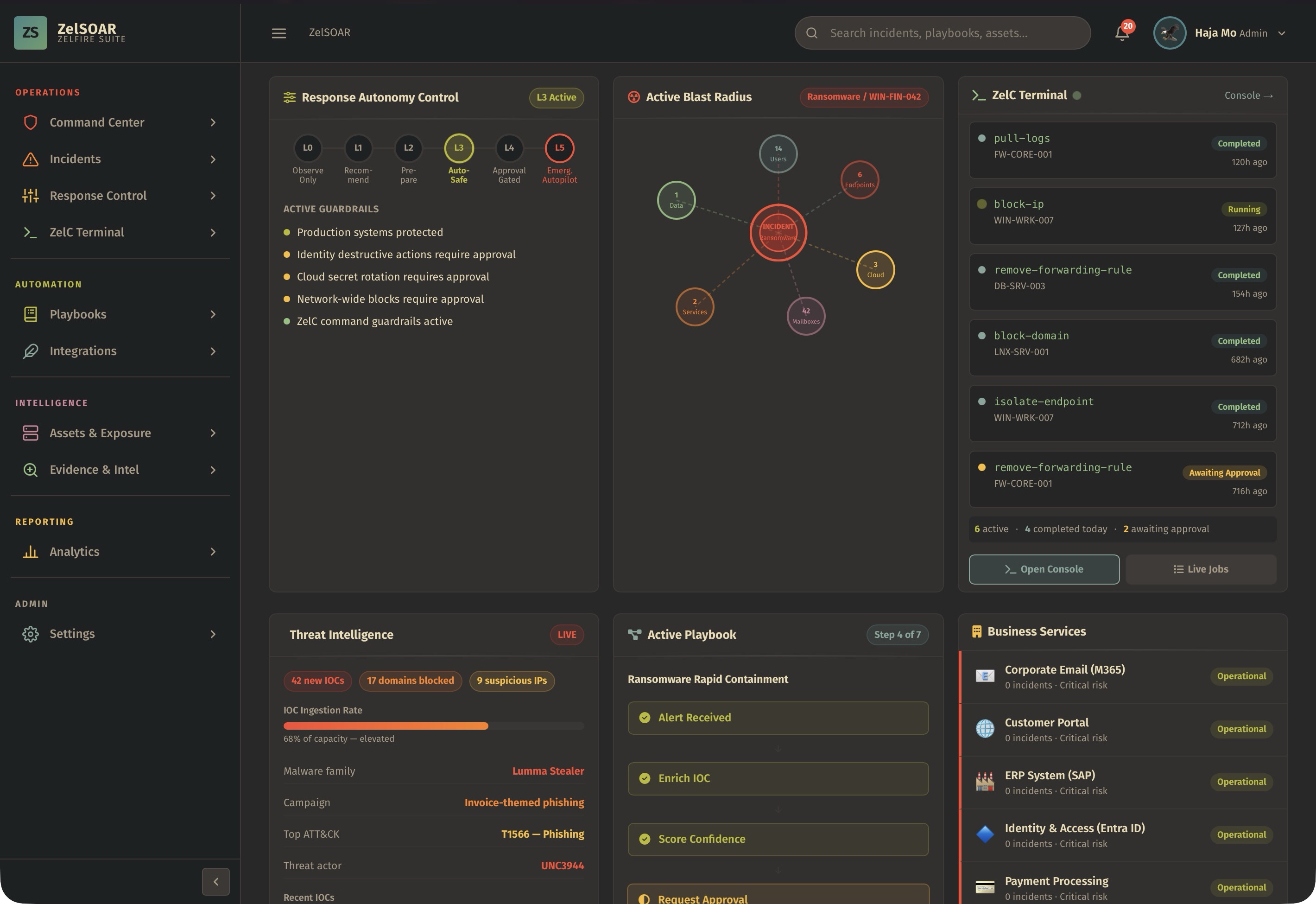
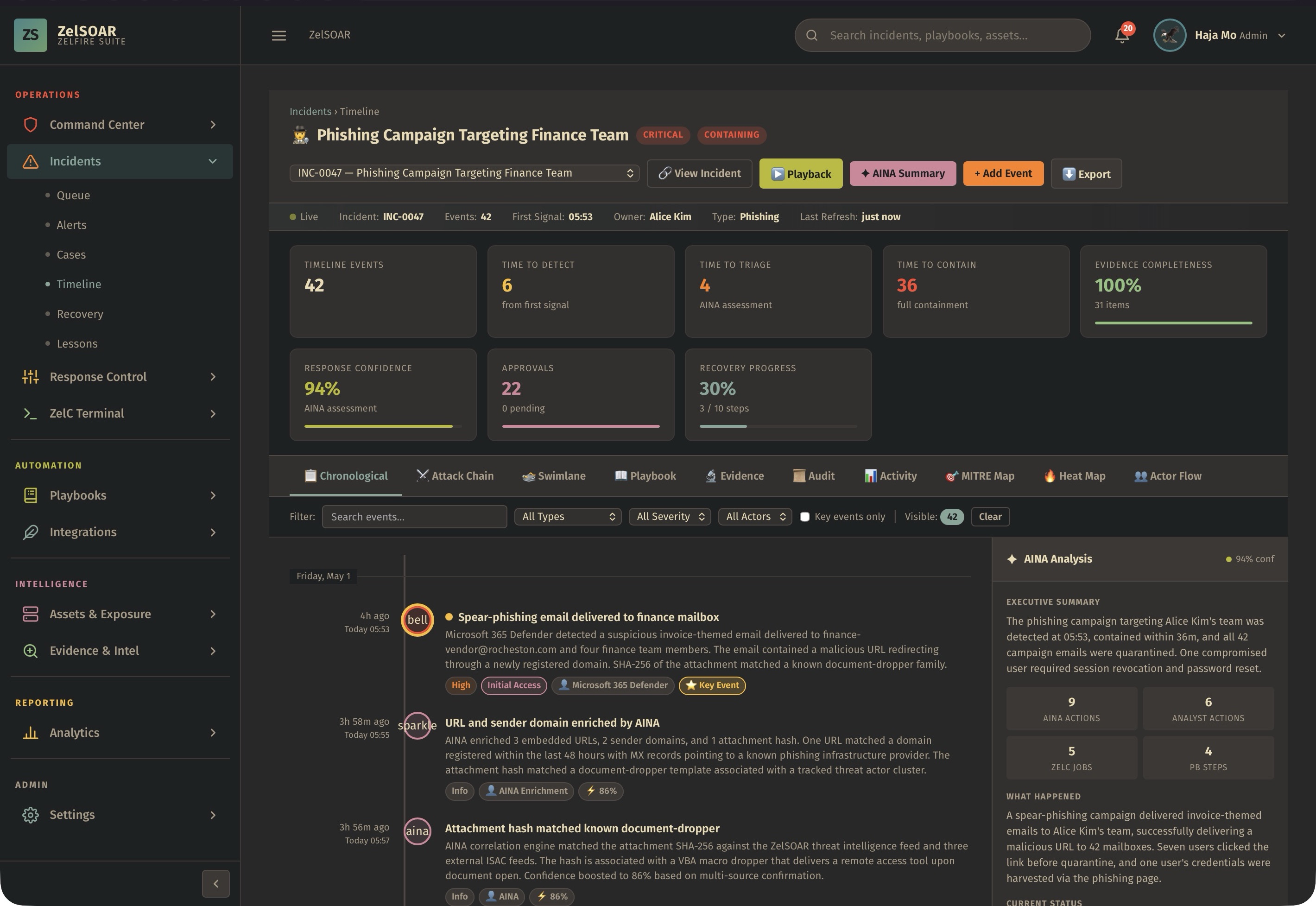
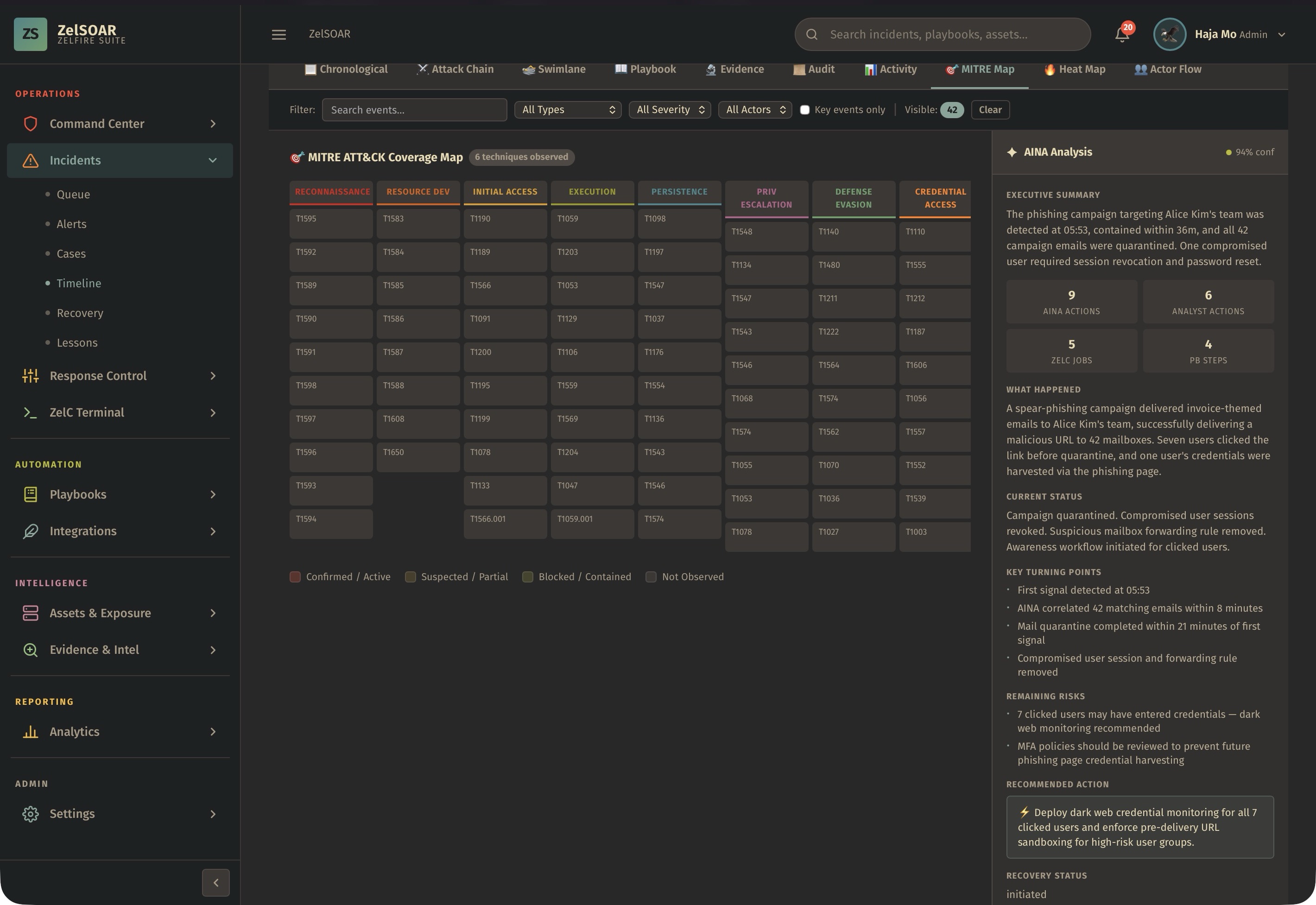
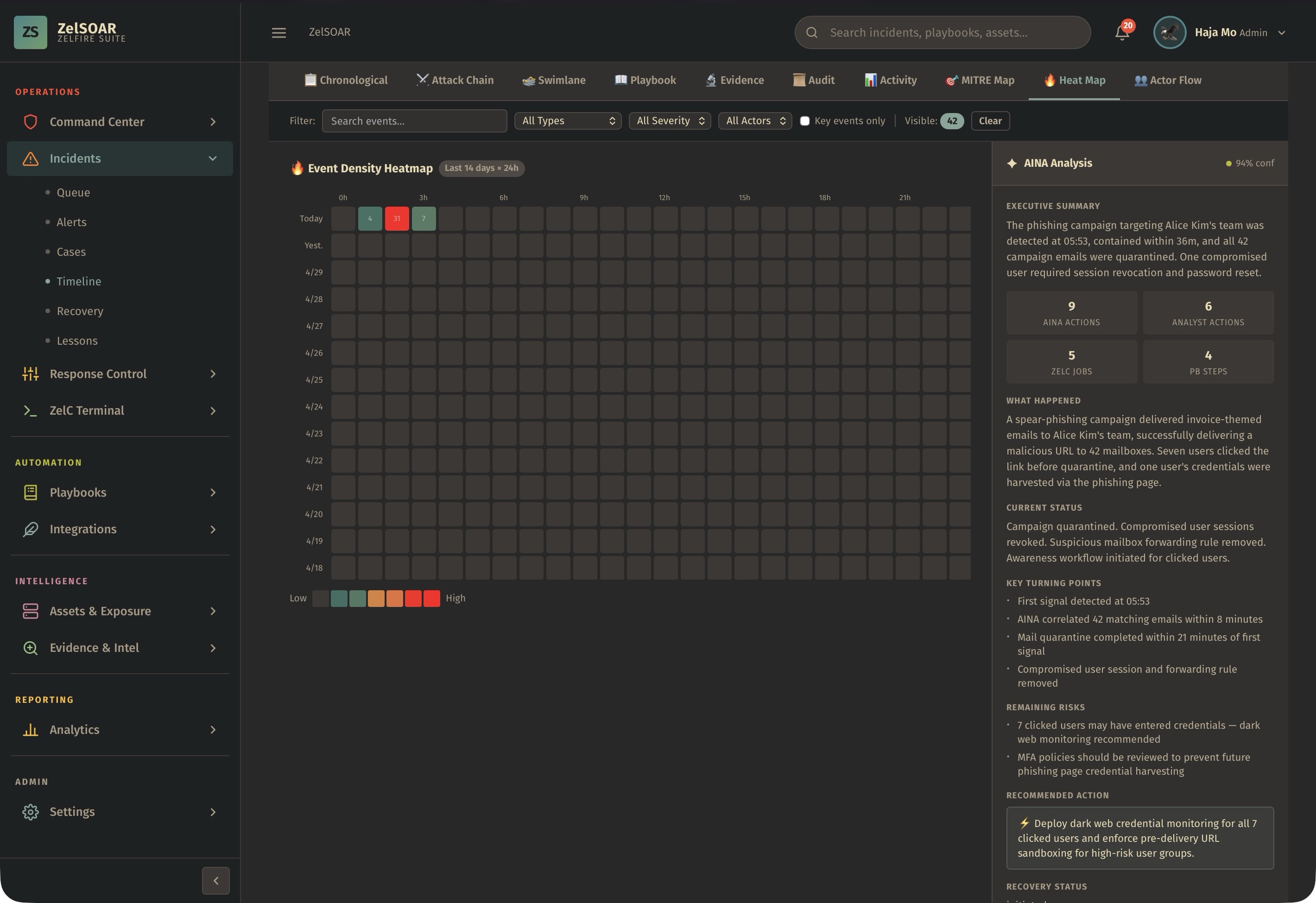
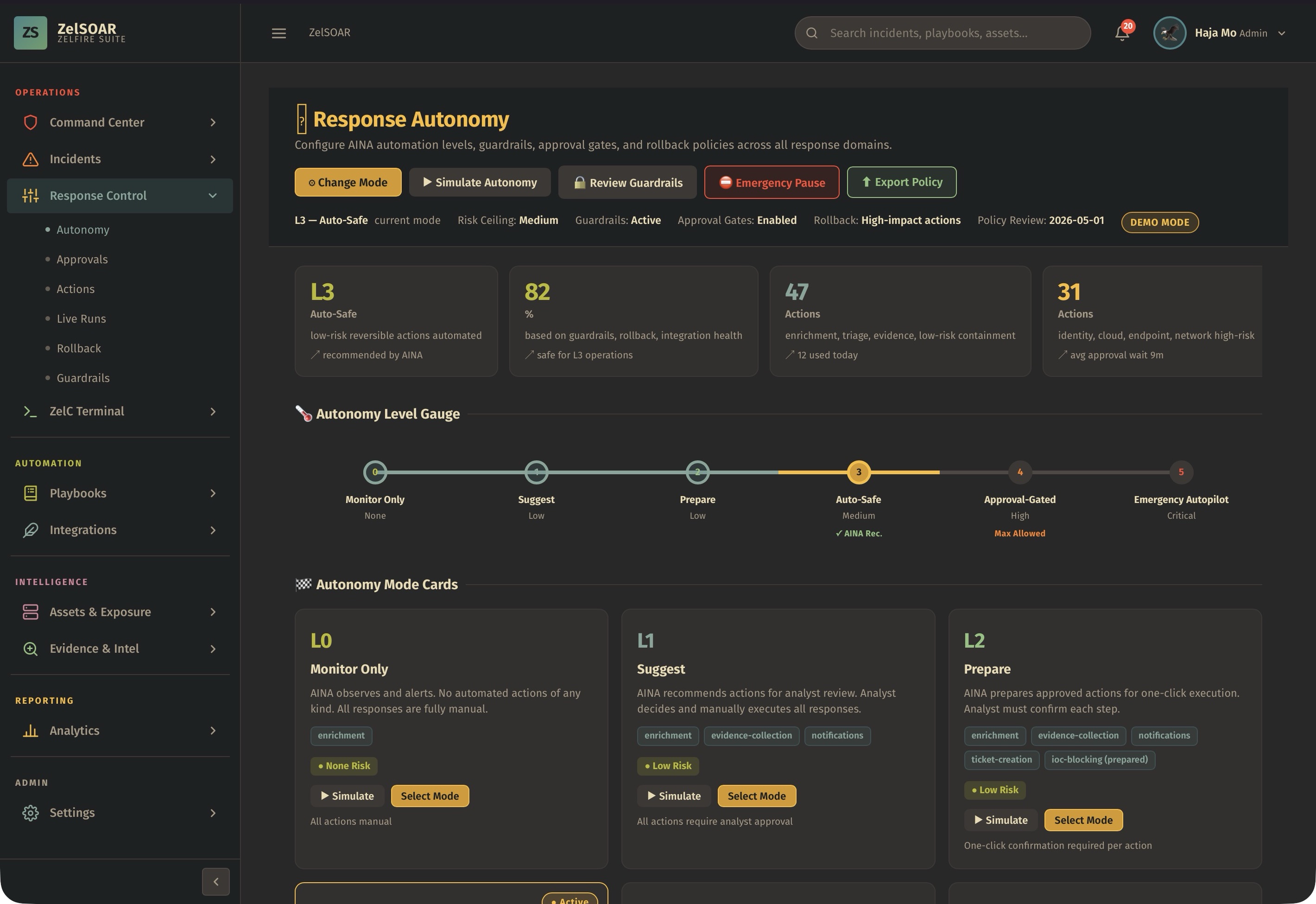
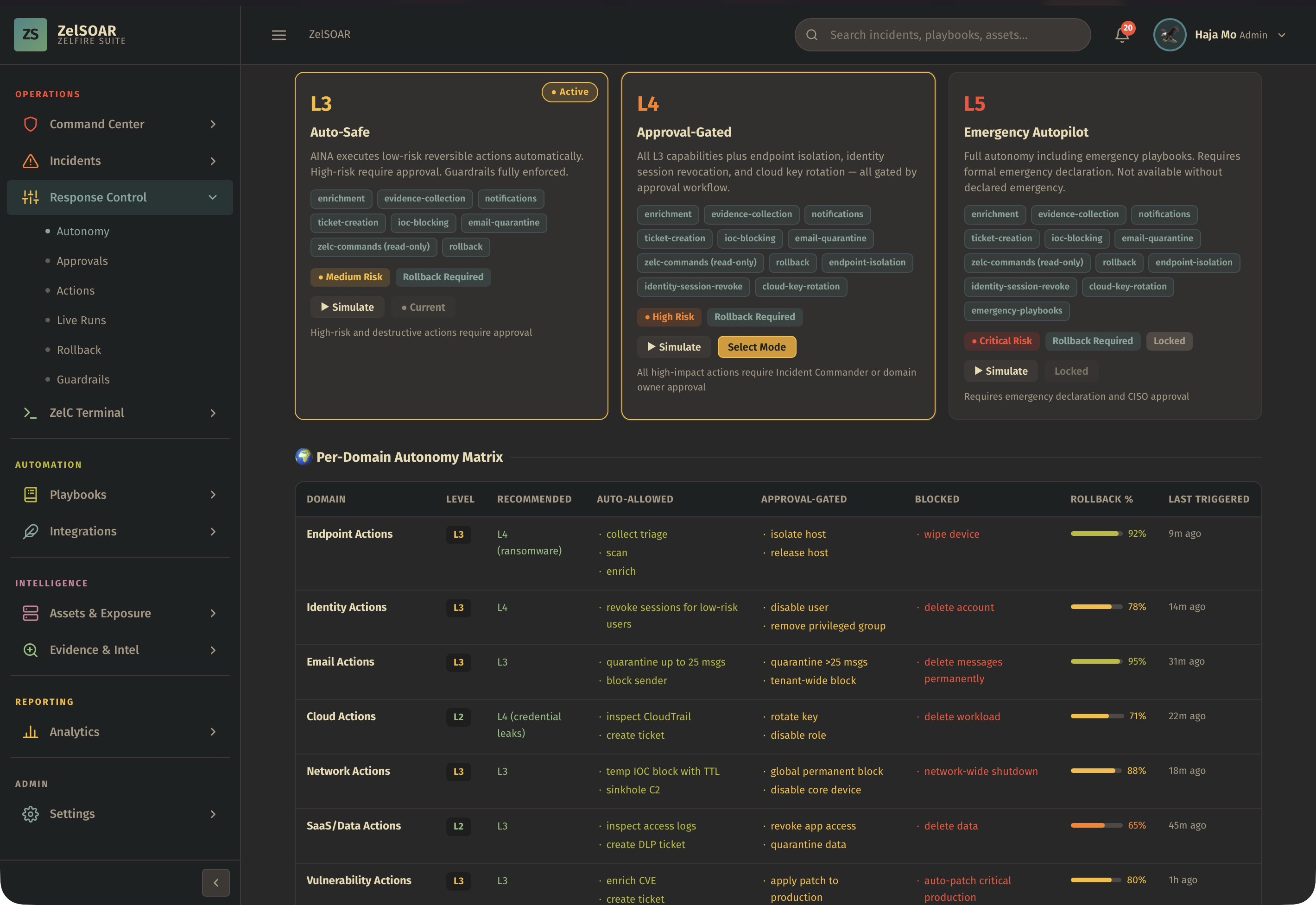
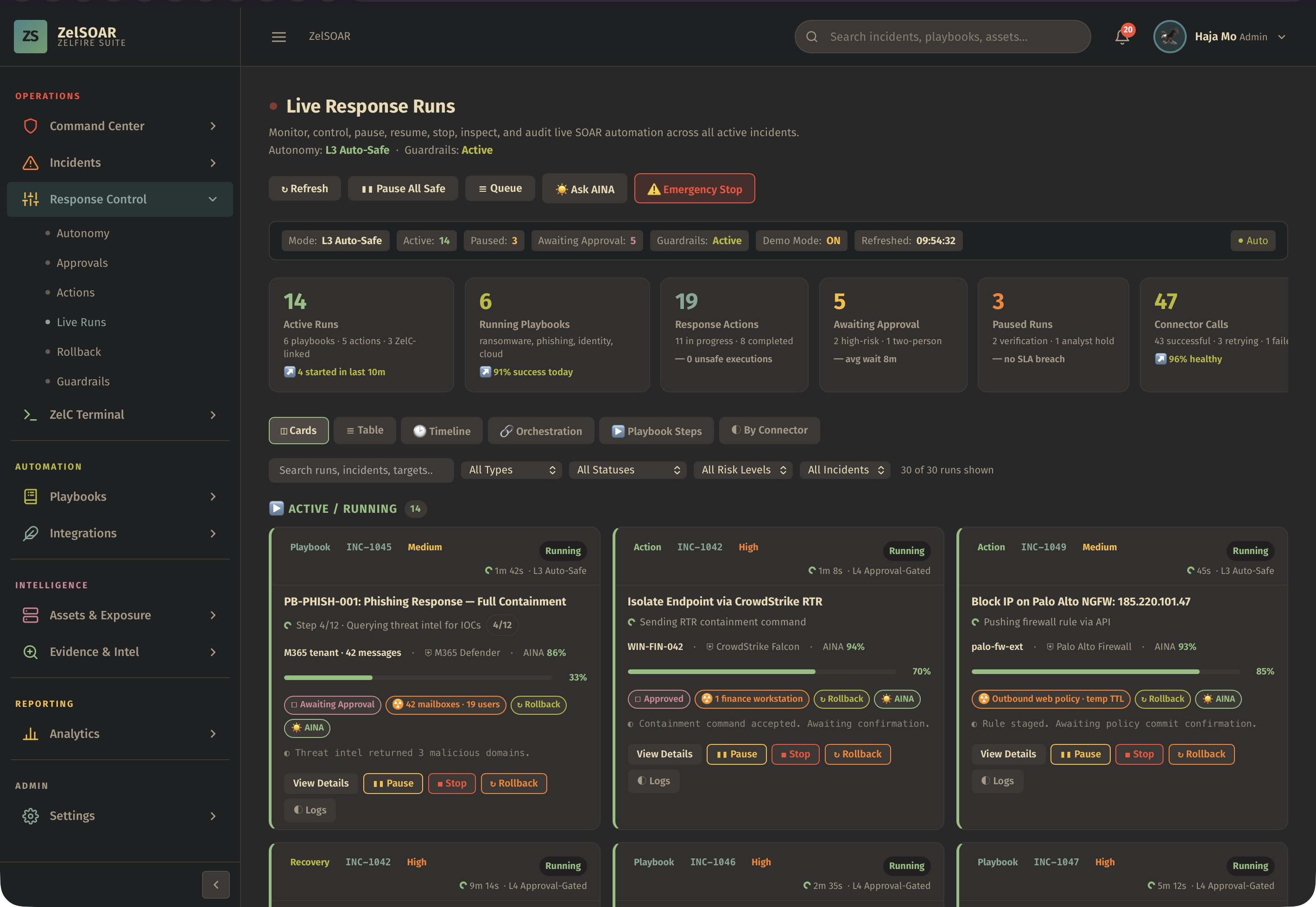
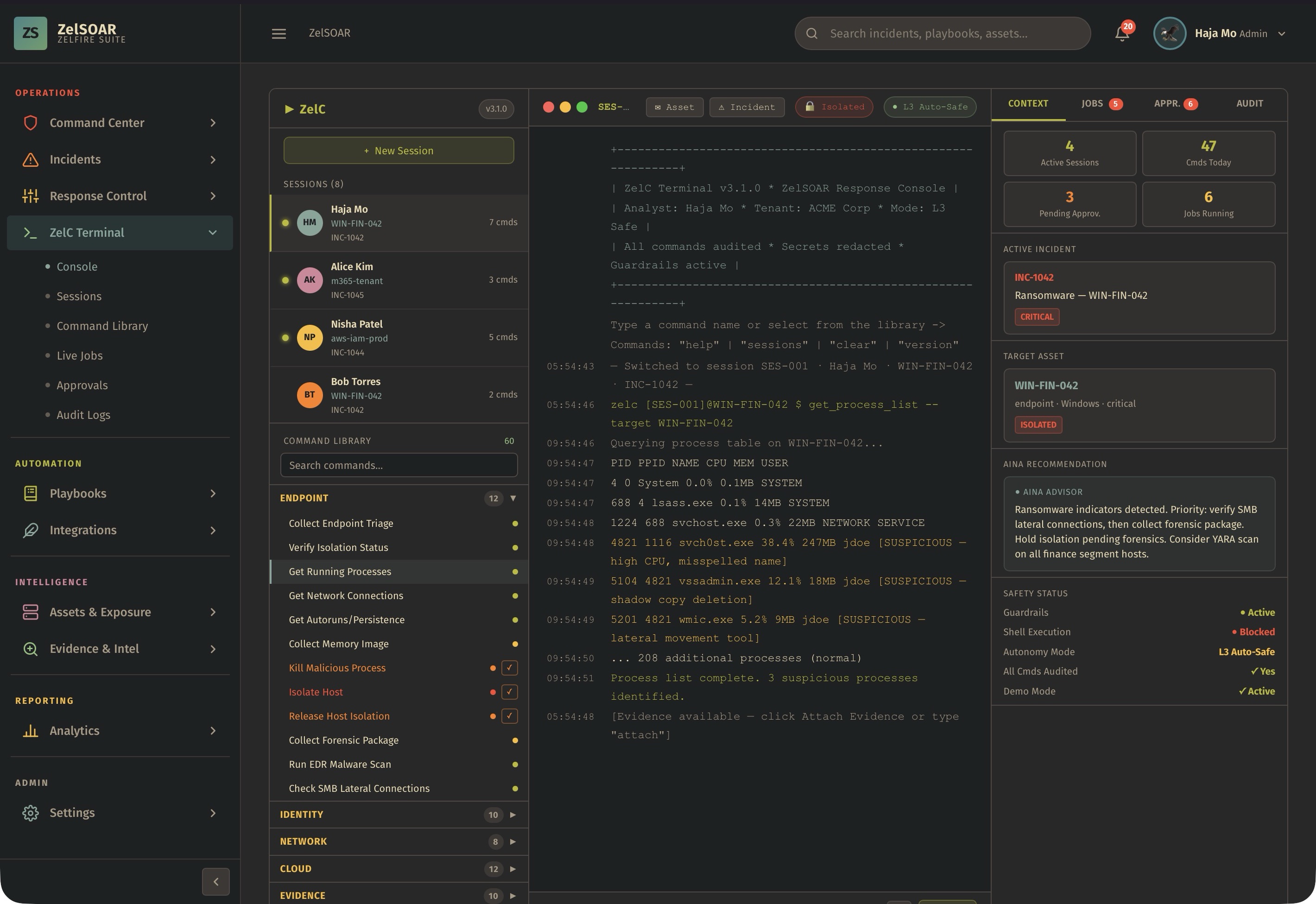
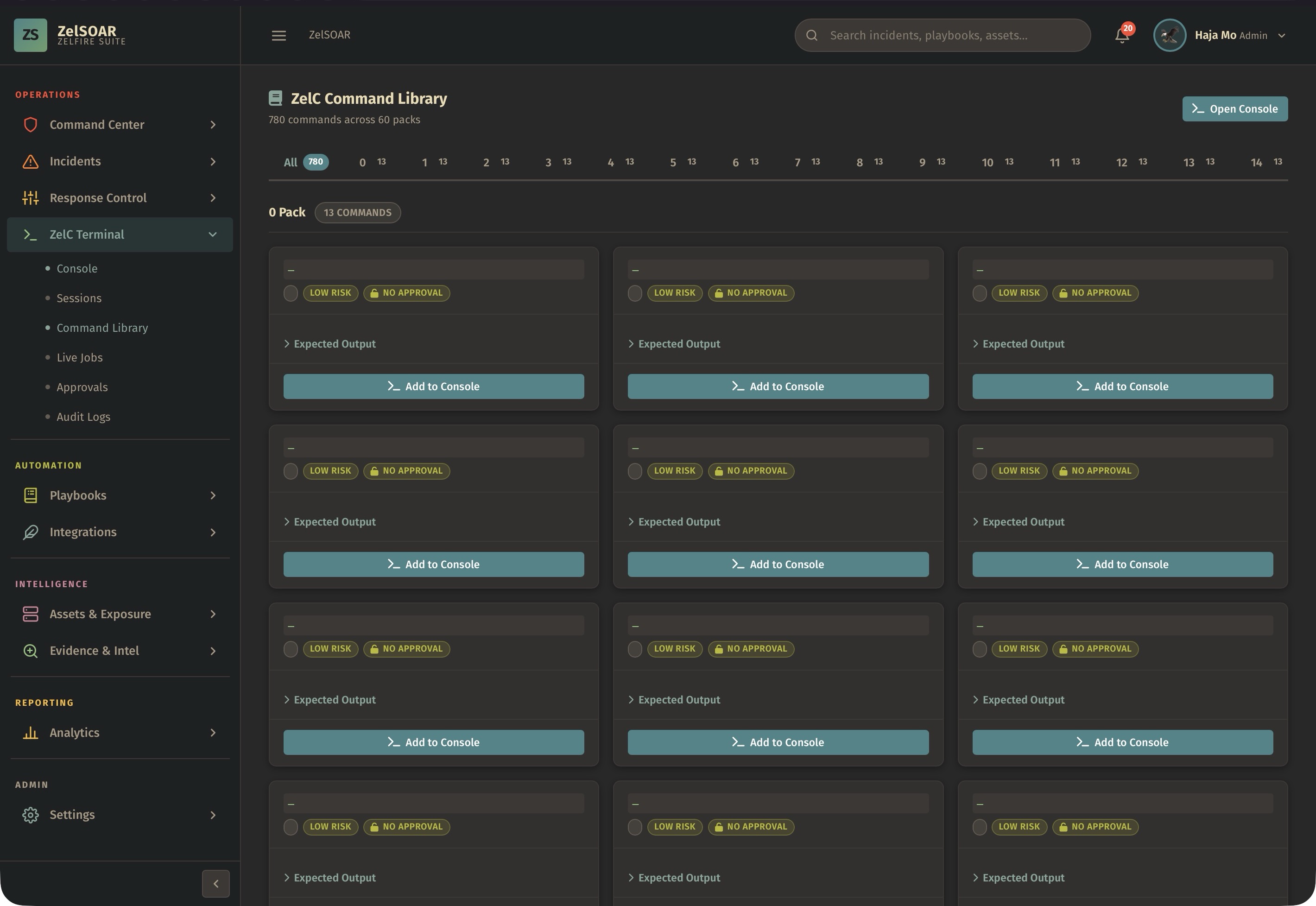
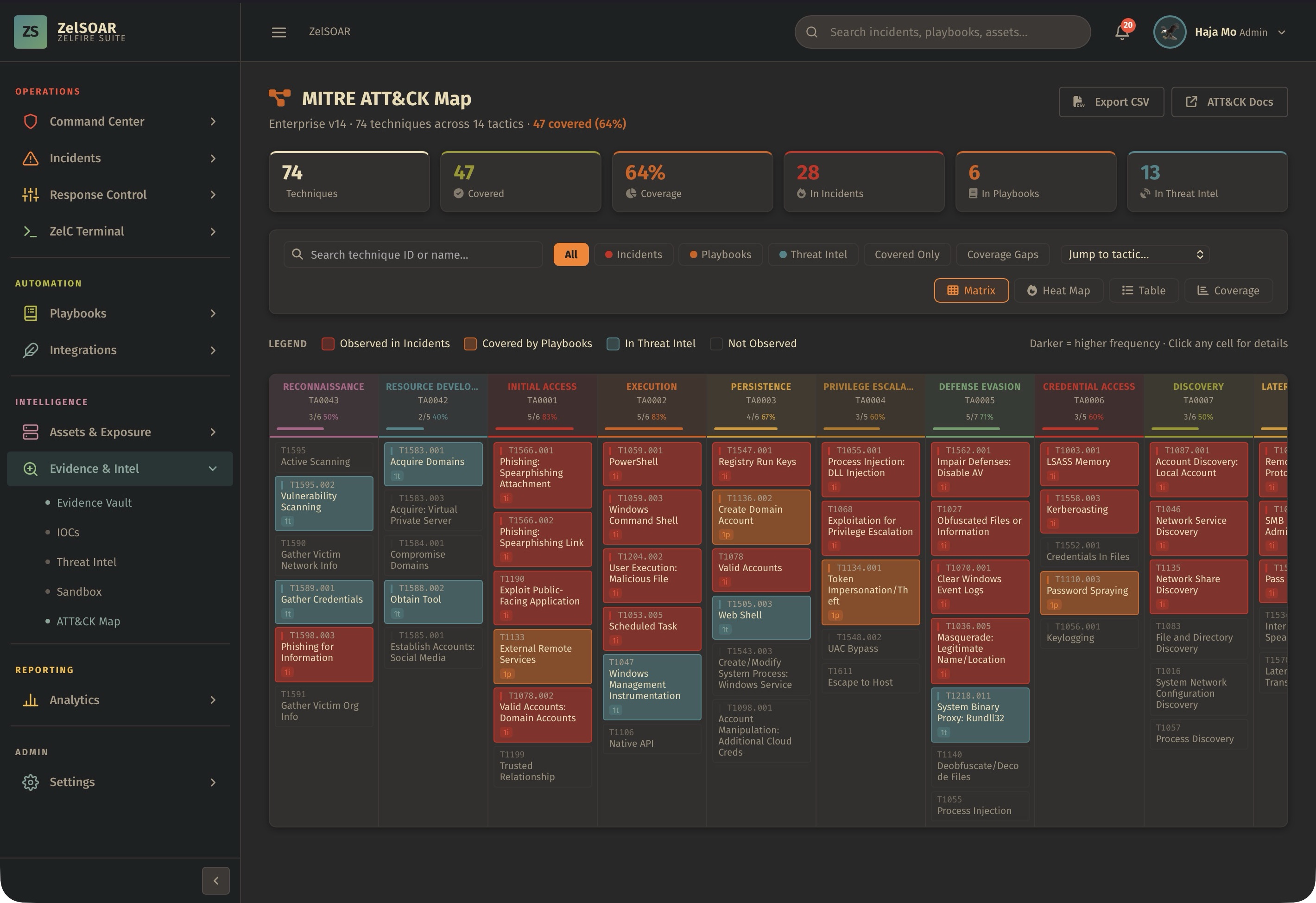
Explore 21 product screenshots. Select any image for a closer look.
THE DETAILS THAT MATTER
Answers about the product, its capabilities, and how it fits into your security workflow.
ZelSOAR is a security orchestration, automation, response, evidence, and vulnerability operations platform. It gives analysts and security leaders a single workspace for incidents, alerts, cases, timelines, response tasks, evidence, threat intelligence, assets, vulnerabilities, business impact, recovery, lessons learned, analytics, and reporting.
ZelSOAR is exclusively licensed to RCCE engineers. The product, access model, onboarding, and operational use are intended for eligible RCCE engineers under the applicable licensing terms.
The primary ZelSOAR menus are Home, Command Center, Incidents, Response Control, ZelC Terminal, Playbooks, Integrations, Assets & Exposure, Evidence & Intel, Analytics, and Settings. The public landing page includes Home, Features, FAQ, Screenshots, and Launch.
The ZelSOAR Command Center provides a high-level operational view of security work. It is designed to show incident activity, priority signals, vulnerability exposure, case status, automation readiness, and response posture so teams can act quickly with full context.
ZelSOAR manages incidents through intake queues, alert review, case creation, case ownership, status tracking, timelines, analyst notes, evidence attachments, tasks, approvals, containment decisions, recovery steps, lessons learned, and final reporting. The incident workflow helps teams keep investigations organized from the first alert to final closure.
Response Control is the area for coordinating containment, remediation, approval, and recovery actions. It helps teams manage sensitive response steps with assigned owners, task progress, approval status, documentation, and a clear operational record.
The ZelC Terminal is a dedicated command surface for security operations inside the ZelSOAR experience. It is intended to support fast investigation workflows, case-aware command activity, structured checks, analyst productivity, and guided response actions.
Yes. ZelSOAR supports playbooks for structured and repeatable security response. Playbooks can guide triage, enrichment, approvals, containment, recovery, notification, evidence collection, and documentation. They help security teams standardize work without losing analyst judgment.
ZelSOAR is designed to work with security telemetry, alerting sources, endpoint context, network context, identity signals, ticketing workflows, communication channels, enrichment sources, threat intelligence, asset systems, and reporting workflows. Integrations help bring data and response actions into a unified operational case.
Assets & Exposure is the ZelSOAR area for understanding what is affected, who owns it, which services depend on it, how identities relate to it, and how vulnerable or exposed it may be. This module helps analysts connect technical alerts to business impact and response priority.
Yes. ZelSOAR includes vulnerability operations for CVE tracking, severity classification, exploit status, patch status, affected asset mapping, SLA days, status labels, remediation ownership, filtering, prioritization, and executive visibility. Vulnerabilities can be reviewed by severity, affected asset, exploitability, patch state, and remediation status.
ZelSOAR helps prioritize vulnerabilities by combining severity, exploit status, patch availability, affected assets, SLA status, business exposure, and remediation progress. This lets teams focus on issues that are critical, actively exploitable, overdue, or tied to important assets and services.
ZelSOAR can handle a broad range of evidence types including files, logs, screenshots, memory captures, packet captures, endpoint telemetry, SIEM events, firewall logs, WAF alerts, IDS and IPS events, DNS records, email headers, phishing samples, URL artifacts, domain artifacts, IP artifacts, user activity, asset snapshots, process trees, registry changes, service changes, persistence findings, malware samples, rules, vulnerability scans, patch records, change requests, approval records, chain-of-custody notes, business impact records, compliance notes, incident timelines, command output, cloud audit events, container events, certificate details, and IOC bundles.
ZelSOAR evidence workflows are designed to capture evidence name, evidence type, hash value, notes, collection context, validity status, owner, timestamps, and chain-of-custody details. This helps analysts preserve integrity, show provenance, and keep evidence review-ready.
Yes. ZelSOAR evidence records can include SHA-256 hash values for files and other artifacts. Hash tracking helps verify integrity, correlate artifacts, support malware review, and preserve a reliable investigation record.
Yes. Analyst notes are part of the case workflow. Notes can document observations, decisions, containment status, owner updates, approvals, evidence context, business impact, and next steps. Notes help preserve continuity across shifts and teams.
Yes. ZelSOAR supports tasks with status such as complete, in progress, pending, and pending approval. Tasks can be used for investigation steps, response actions, evidence collection, business notifications, approvals, recovery, and closure requirements.
ZelSOAR can capture business impact details such as affected department, operational degradation, impacted users, data sensitivity, customer impact, downtime avoided, risk avoided, and compliance concerns. This helps technical security work translate into business-level decision support.
ZelSOAR can present similar case context so analysts can compare current incidents against previous patterns, outcomes, containment times, playbook selections, recovery decisions, and lessons learned. Similar-case context helps speed up triage and improves response consistency.
Yes. ZelSOAR can support compliance workflows by preserving evidence, approvals, timelines, risk statements, affected data notes, remediation records, audit-ready summaries, and business impact details. The platform helps teams document what happened, what was done, who approved it, and how the issue was resolved.
ZelSOAR is designed to orchestrate security operations across people, processes, signals, evidence, assets, vulnerabilities, and response actions. It can complement existing monitoring, endpoint, network, identity, ticketing, and reporting systems by providing an integrated operations layer.
ZelSOAR can track SLA days, breached SLA status, overdue patching, remediation state, and affected assets. SLA visibility helps teams identify which vulnerabilities or cases require immediate attention and which actions are still pending.
ZelSOAR reporting and analytics can summarize incident trends, remediation progress, SLA status, risk avoided, evidence quality, response timing, vulnerability severity, exploit exposure, team workload, lessons learned, and operational performance. Reports are intended to support analysts, managers, engineering teams, and executives.
ZelSOAR is useful for security operations because it combines alert triage, incident response, evidence management, vulnerability operations, response control, playbooks, integrations, and analytics. Teams can reduce context switching, standardize response, preserve evidence, and keep investigations connected to business impact.
Yes. ZelSOAR can support ransomware response with playbooks, affected asset mapping, evidence collection, containment tasks, analyst notes, approvals, recovery steps, user impact details, business impact tracking, lessons learned, and final reporting.
Yes. ZelSOAR can support phishing investigations by tracking email headers, sender domains, URLs, attachments, screenshots, user reports, affected identities, enrichment results, analyst notes, tasks, containment actions, and closure decisions.
Yes. ZelSOAR can support vulnerability response through CVE review, exploit status, patch status, affected asset mapping, owner assignment, SLA tracking, remediation status, approval records, patch validation, and reporting.
ZelSOAR helps with handoffs by keeping cases, notes, tasks, evidence, owners, approvals, timelines, and response decisions in one place. A responder joining the case can quickly understand what happened, what was collected, what was approved, and what remains to be done.
Eligible users can launch ZelSOAR at the official launch destination: https://zelsoar.rocheston.com. Access is intended for RCCE engineers according to the product licensing model.
No matching questions. Try another word or clear the search.
Explore how AINA connects intelligence across Zelfire, and find the products that complement your workflow.
Attack surface intelligence
Discover assets, understand exposure, and prioritize the risks that need attention.
Detection & response
Correlate endpoint, network, identity, and cloud signals into a connected incident view.
Threat intelligence
Rank threat intelligence by relevance, environmental context, and potential impact.
LET’S CONNECT YOUR DEFENSE
Explore the products, see the workflows, and talk to Rocheston about your security environment.
Request a demo